



Misophonia: Sound Triggers, Symptoms, and Support
Misophonia is more than just disliking certain sounds. For some individuals, the emotions brought on by it can be so extreme…
A large majority of modern jobs require the use of display screen equipment (DSE) for everyday tasks. If you’re an employer, this means you need to have a good understanding of how to stay compliant and keep staff safe when working with DSE. In this guide, we’ll be exploring everything from DSE regulations and assessments to creating a more accessible workstation by combining DSE with contemporary assistive technology.

In some ways, the term DSE has developed a dual meaning. On a practical level, it’s used to define any computer device or piece of equipment that has a display or touch screen. This could be a laptop, desktop computer, TV-style monitor, or smartphone.
In the workplace, however, the term has become strongly associated with workplace health and safety regulations. This is due to the introduction of the Health and Safety (Display Screen Equipment) Regulations 1992, which were introduced in the UK to tackle the health risks associated with prolonged screen use.
As digital technology started to become more and more central to work life, DSE switched from being solely a practical term to a shorthand for ergonomics, workstation assessments, and employee wellbeing.
According to the Health and Safety Executive (HSE), between 2023 and 2024, approximately 543,000 workers were suffering from a work-related musculoskeletal disorder. Figures like this remind us that occupational health needs to be made a priority.
Along with musculoskeletal disorders, other risks associated with improper DSE setups include:
Mandating compliance with DSE regulations makes sure that employers take a proactive approach to preventing these health issues. By implementing proper assessments and making necessary adjustments, companies can significantly reduce the risk of workplace injuries and create a safer, more comfortable environment for all employees.
In the UK, the Health and Safety Executive (HSE) requires that companies with staff who use Display Screen Equipment (DSE) for continuous or significant periods during their working day (1 hour or more) must comply with the Health and Safety (Display Screen Equipment) Regulations 1992 (as amended).
These regulations state that employers must:
Conduct Regular DSE Assessments: Employers are required to carry out risk assessments of workstations used by DSE users* to identify and mitigate risks. These assessments should be reviewed when equipment or workstation setups change, or when an employee reports discomfort.
Provide Adequate Breaks or Changes in Activity: Employers should encourage users to take regular breaks or vary their activities to reduce the risk of fatigue, eye strain, and musculoskeletal problems.
Offer Eye Tests and Provide Corrective Equipment: Employers must provide eye and eyesight tests on request to employees who are DSE users. If the test shows that special glasses are needed specifically for DSE work, the employer must provide them at no cost to the employee.
Deliver Training and Information: Employees must receive training and information about the safe use of DSE, including how to adjust workstations properly and recognise symptoms of problems.
Ensure Proper Equipment and Workstation Setup: Workstations should meet minimum ergonomic standards, including adjustable chairs, suitable lighting to reduce glare and reflections, and correct screen positioning.
Make Reasonable Adjustments for Disabled Workers: Employers must consider and accommodate the needs of disabled workers when designing workstations or setting work arrangements.
Keep Records: While not explicitly required by the regulations, keeping records of risk assessments, training, and actions taken is considered good practice and useful for demonstrating compliance.
*All staff using DSE equipment for more than an hour at a time/a significant proportion of the working day, are referred to as DSE users.
In order to comply with DSE regulations, HSE require employers to carry out workplace assessments. These assessments focus on the entire workstation setup, including the furniture, work environment, overall conditions, type of job, and the needs of disabled employees.
These assessments should be carried out annually or when:
If you’re planning to carry out an assessment in your workplace, you may wish to use this HSE-approved workstation checklist to make sure nothing gets missed.
To make assessments more convenient for employers, there are specific software packages available that can support DSE users to carry out checks themselves. HSE notes that while these are useful, results must be reviewed by a trained DSE assessor.
The biggest risks associated with DSE come from poor posture, inadequate equipment setup, and prolonged static positions.
As an employer, some of the easiest ways to reduce risk are:
When creating a DSE-friendly workstation, focus on achieving a balanced combination of adjustability, comfort, and practicality.
Although needs will vary from user to user, a safe standard DSE setup includes a height-adjustable chair with proper lumbar support, a monitor positioned at eye level and arm’s length away, and a keyboard and mouse that allow wrists and forearms to remain parallel to the floor.
Although sometimes overlooked, good lighting is important too. Aim for even illumination that eliminates screen glare and harsh shadows.
If you need to support a DSE user with disabilities or neurodivergent needs, it’s essential to take an individualised approach rather than trying to provide one-size-fits-all solutions.
Speak directly to your employee about their specific requirements and consider reasonable adjustments such as specialised input devices, screen readers, captioning tools, voice recognition software, or customised desk arrangements. Remember that accessibility needs can vary significantly – what works for someone with motor impairments may differ completely from what benefits a person with visual processing differences.
If you can create an environment where staff feel comfortable discussing their needs, it will help you to become more compliant while promoting an inclusive workplace culture.
In the UK, employers are legally required to provide reasonable adjustments under The Equality Act 2010. These adjustments include assistive technology, which plays a vital role in making DSE-compliant workstations accessible to all employees.
If you fail to provide these accommodations for staff, it may make existing disability symptoms worse, causing greater discomfort and reducing an employee’s ability to work effectively.
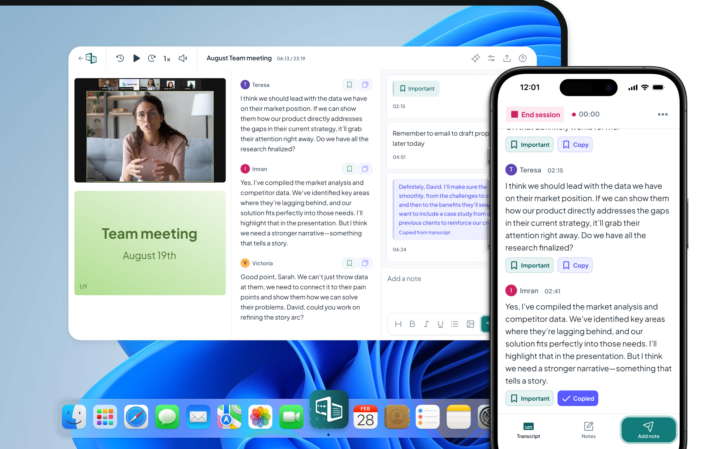
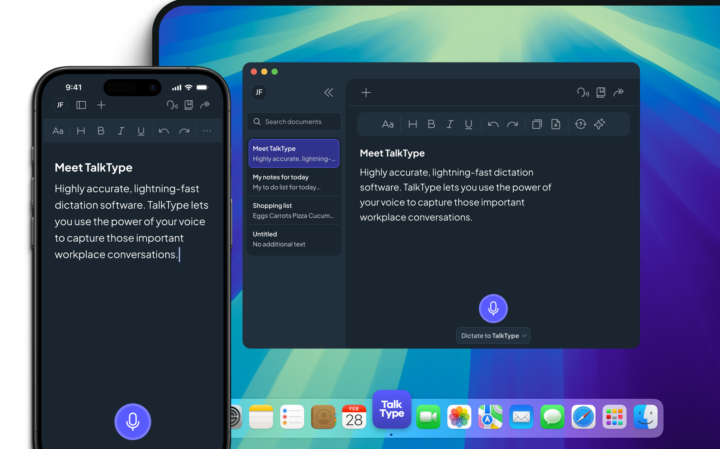
There are many types of assistive technology that can support a DSE-compliant setup. You might support a staff member with a learning disability by adding note-taking software to their computer, or make it easier for a staff member with chronic repetitive strain injury by introducing dictation software.
By prioritising the health and safety of all staff in the workplace, you can create a happy environment where everyone belongs and everyone’s body matters

Our small but mighty team builds leading-edge software that people love. We pride ourselves on a user-led approach to product design. The voice of the customer shapes what we create and that’s exactly how great assistive tech should be made.
Misophonia is more than just disliking certain sounds. For some individuals, the emotions brought on by it can be so extreme…

Dysgraphia is a lesser-known handwriting difficulty that’s often mixed up with conditions like dyslexia and developmental coordination disorder (DCD). So, how…

Employees and students are protected from direct discrimination under the Equality Act 2010. In this helpful guide, we’ll walk you through…